You can extend the default email address for customers to 64 characters, which will be used for invoices and orders. To do this, you need to add a specially coded note to a customer account.
Follow these steps:
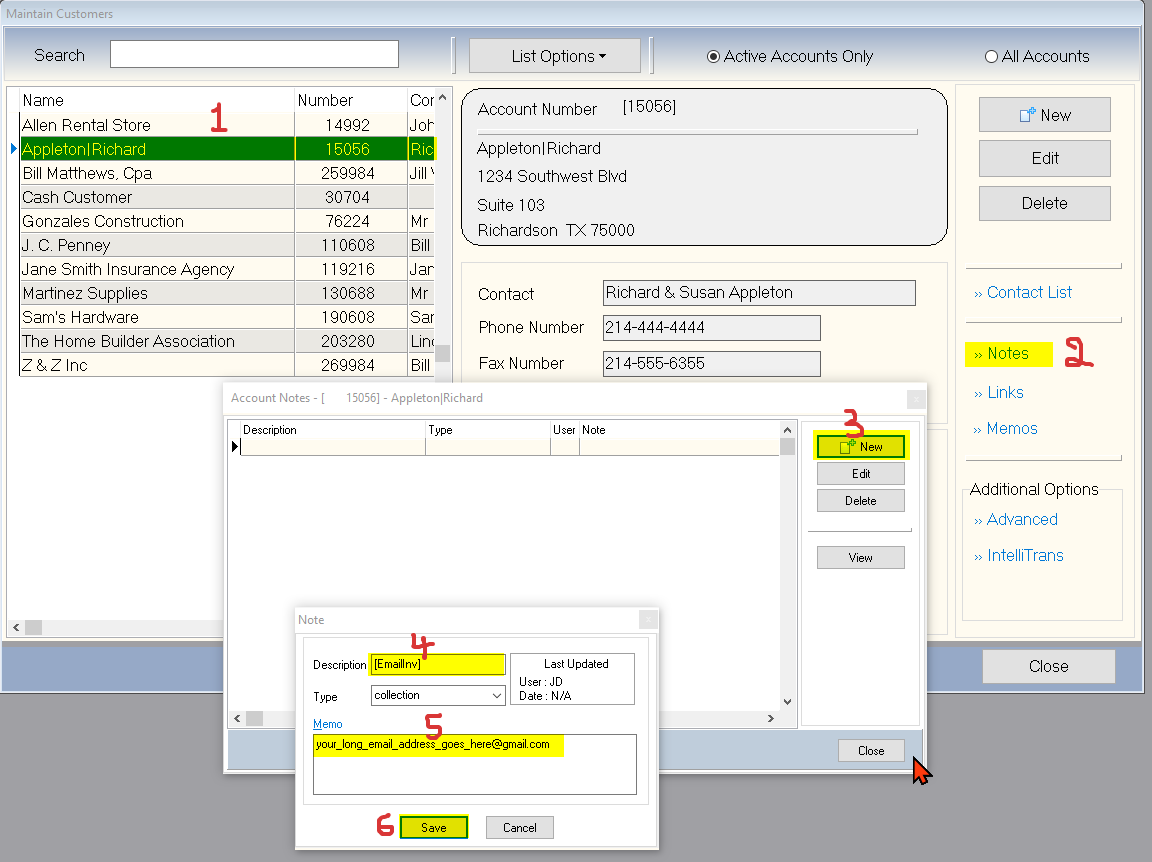
1. Open the Maintain Customers application.
2. Select the specific customer to which you want to add the extended email address.
3. Add a New Note to the customer account.
4. In the Description field of the new note, enter the keyword [EmailInv].
5. In the Memo field, input the email address you wish to use as the default, ensuring it does not exceed 64 characters.
This will set the specified email address as the default for that customer.
(For larger Image: right-click-image & open in new tab)